Everything between a lead list and a reply

Research, writing, approval, sending and replies in one app. Here is what each part does, and which plans include it.

Upload a list and match the columns

Drop in the spreadsheet you already have. The app reads it, suggests which column is the email, name, company and website, and you confirm before anything is imported.
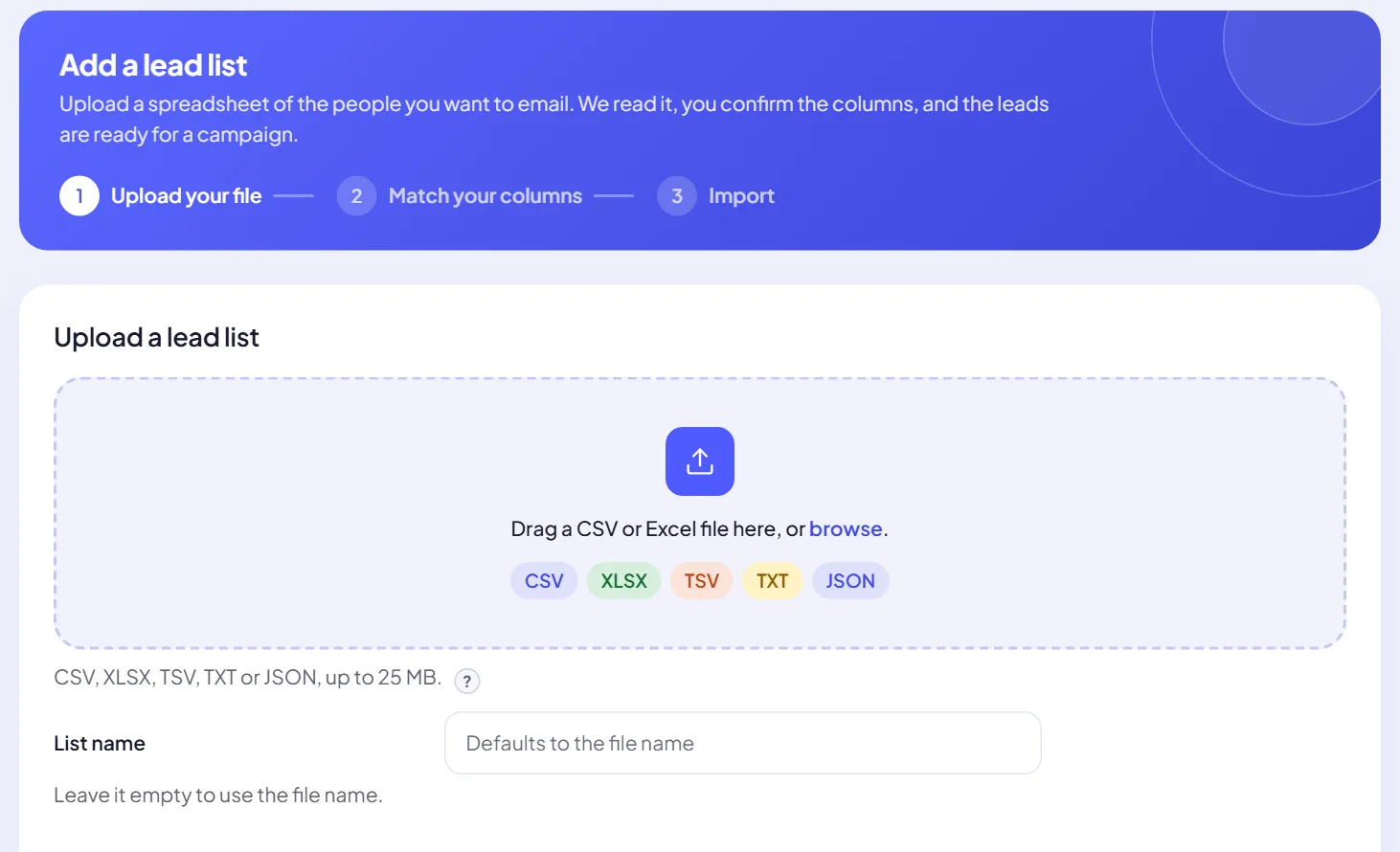
  • Any common format. CSV, XLSX, TSV, TXT or JSON, up to 25 MB.
  • Clean on the way in. Duplicates and unusable addresses are set aside.
  • Better with websites. A website column gives the AI something real to write about.
Add a lead list: upload your file, match your columns, import. The drop zone accepts CSV, XLSX, TSV, TXT and JSON up to 25 MB.
Paid plans

Check every address before you send

The Email verifier checks the format and the domain, screens for throwaway providers, shared inboxes and typing mistakes, then asks the receiving mail server whether the mailbox exists.
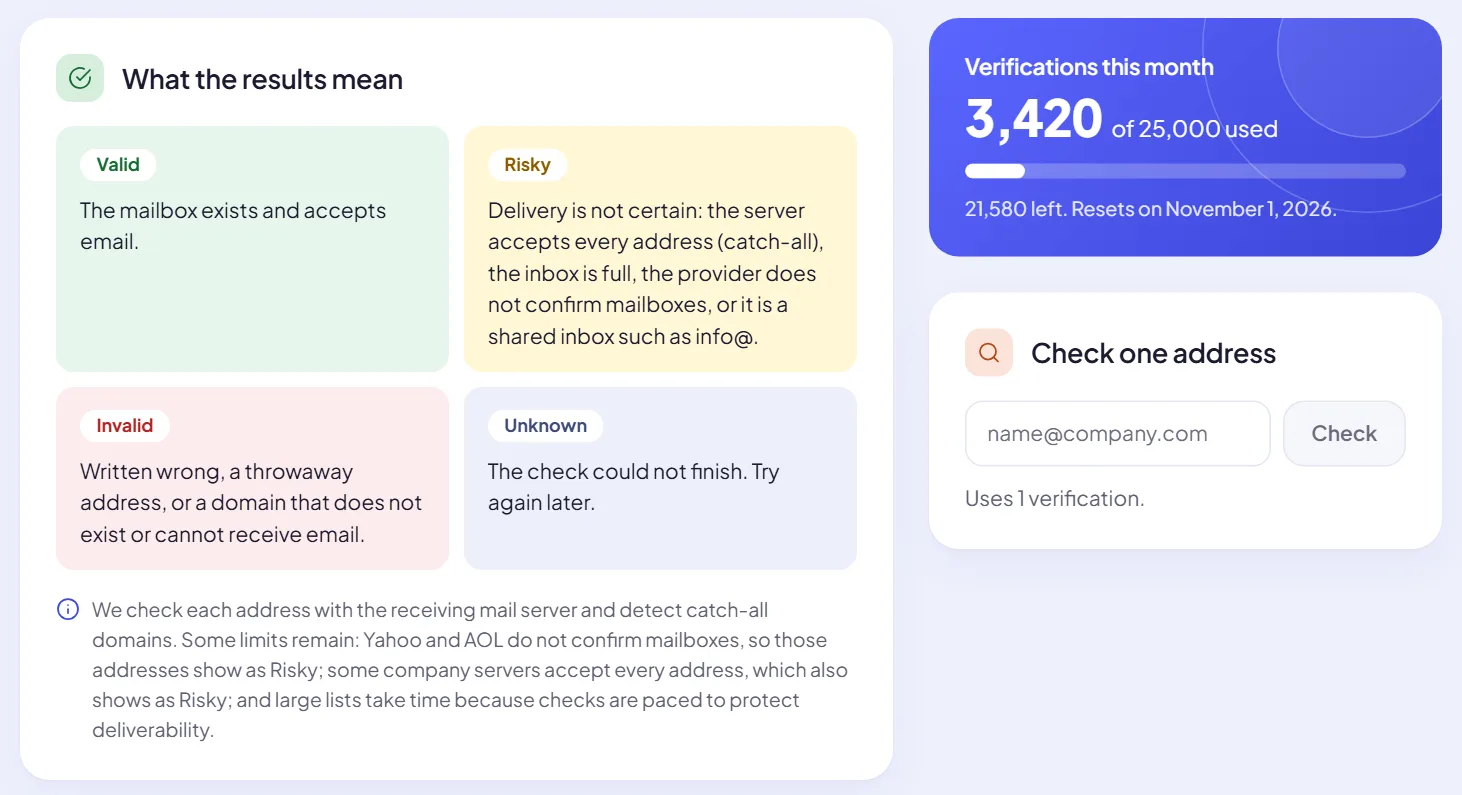
  • Four clear results. Valid, Risky, Invalid or Unknown on every lead.
  • Choose per campaign. Each campaign picks which statuses it may email. Invalid is off by default.
  • Honest limits. Catch-all servers, Yahoo and AOL do not confirm mailboxes, so they show as Risky. Large lists take time because checks are paced.
  • Monthly allowance. 2,000 on Starter, 25,000 on Growth, 100,000 on Agency.
Email verifier: the meaning of Valid, Risky, Invalid and Unknown, 3,420 of 25,000 verifications used this month, and a box to check a single address.
Swift Pilot and your own keys

Research first, then write one email per lead

You describe your offer and your voice once per campaign. For every lead the AI reads their website, keeps the facts a sharp rep would mention, and writes around them.

Swift Pilot, built in

Paid plans include monthly credit: $5 on Starter, $10 on Growth and $30 on Agency. Charged by usage. Top up any time from $10; bought credit never expires.

Or your own AI key

Connect OpenAI, Anthropic, Gemini, OpenRouter or any compatible API. It costs no Swift Pilot credit, and Swift Pilot stands behind it as a backup if your key fails.

Failover that just works

Put connections in priority order. When one is rate limited or down, the next takes over. Keys are encrypted and never shown again.
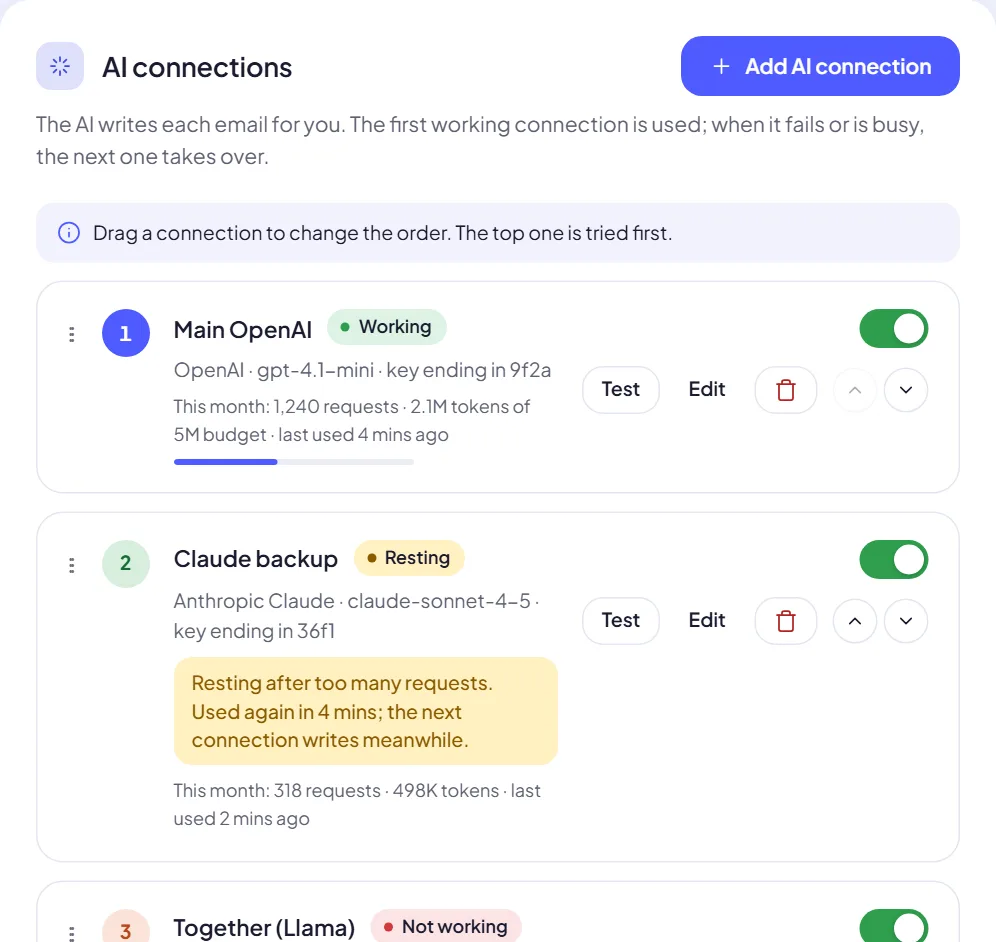
AI connections: Main OpenAI working, Claude backup resting after too many requests while the next connection writes, and a third connection marked not working.

Approve what goes out, or let it run

A campaign is five short steps: choose leads, subject, message, sending rules and review. Preview real emails while you set it up.
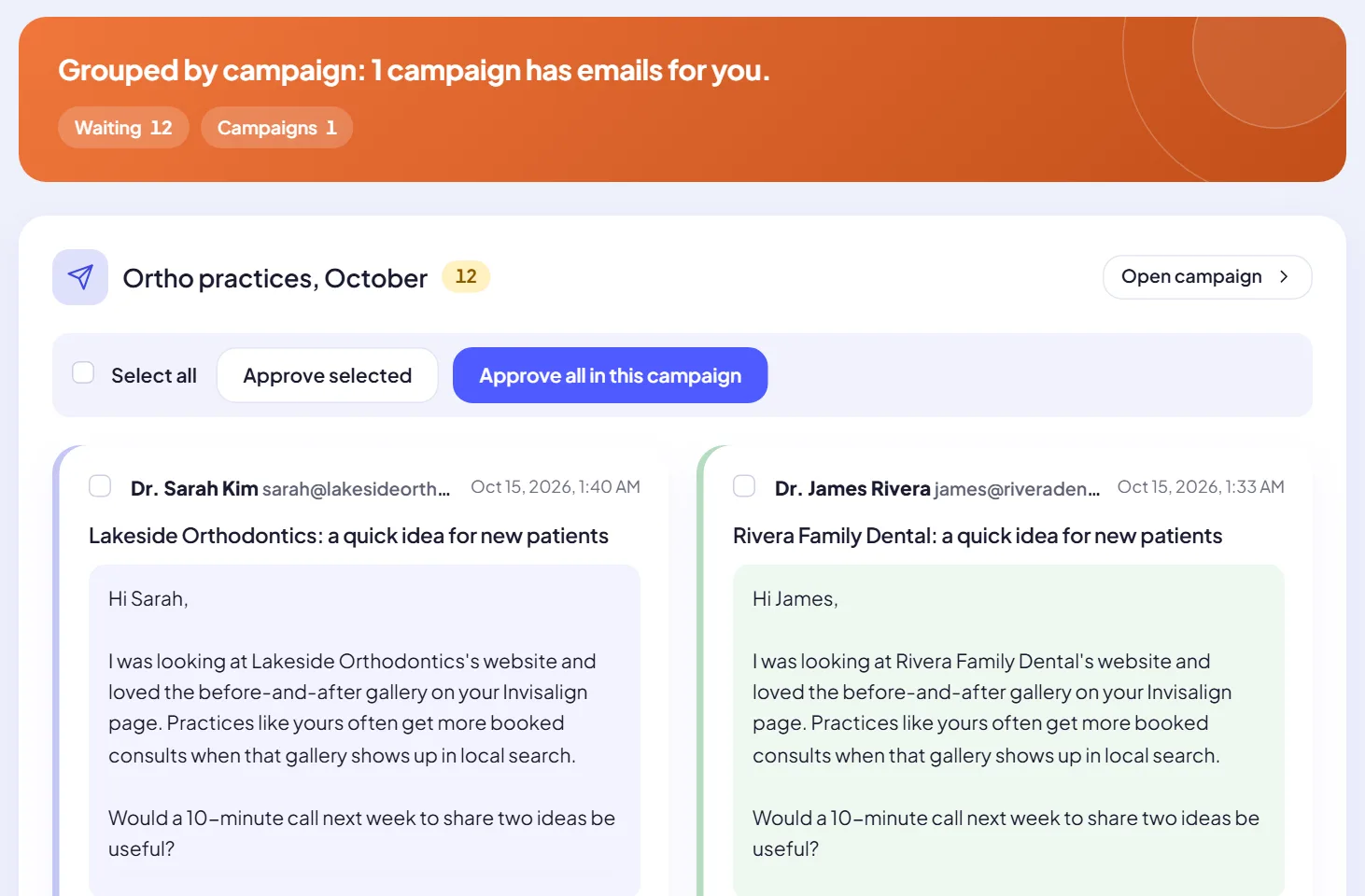
  • Review mode. Every email waits for you. Approve one, approve a campaign, edit, skip or ask for a rewrite.
  • Automatic mode. Once a campaign is proven, emails send without waiting for approval, inside your sending rules.
  • Sending rules. Any time of day or a window you choose, in your time zone, with a daily limit per campaign.
  • In control. Pause, resume, stop or duplicate a campaign. Progress and the report are always one click away.
Review emails: twelve emails waiting in one campaign, each written for a different practice, with Approve selected and Approve all in this campaign.

Send from many mailboxes, evenly

Connect every account you send from. Volume spreads across them so no single mailbox gets hammered.
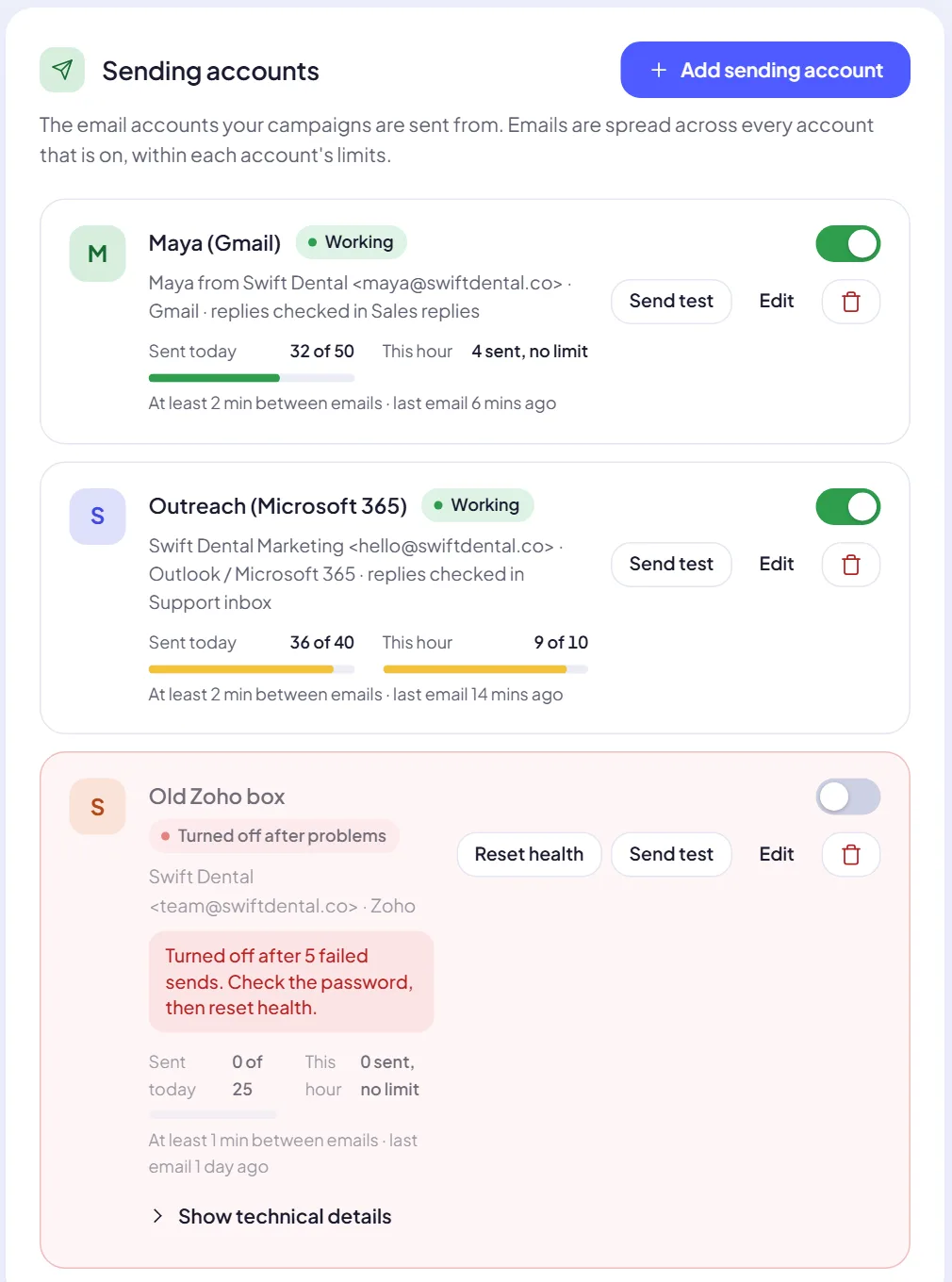
  • Per-mailbox limits. Daily and hourly caps and a minimum gap between emails.
  • Smart rotation. Each email goes from the healthy mailbox with the most room left today. A lead always hears from the same one.
  • Problems handled. A rejected login marks the mailbox for attention. After five failures in a row it is switched off and you get a notice.
Sending accounts: a Gmail and a Microsoft 365 mailbox working with today and this hour counters, and a Zoho mailbox turned off after five failed sends.

Every reply, from every mailbox, in one inbox

Connect each mailbox that receives replies. They are checked on a schedule, each reply is matched to its lead and campaign, and you answer through the right account.
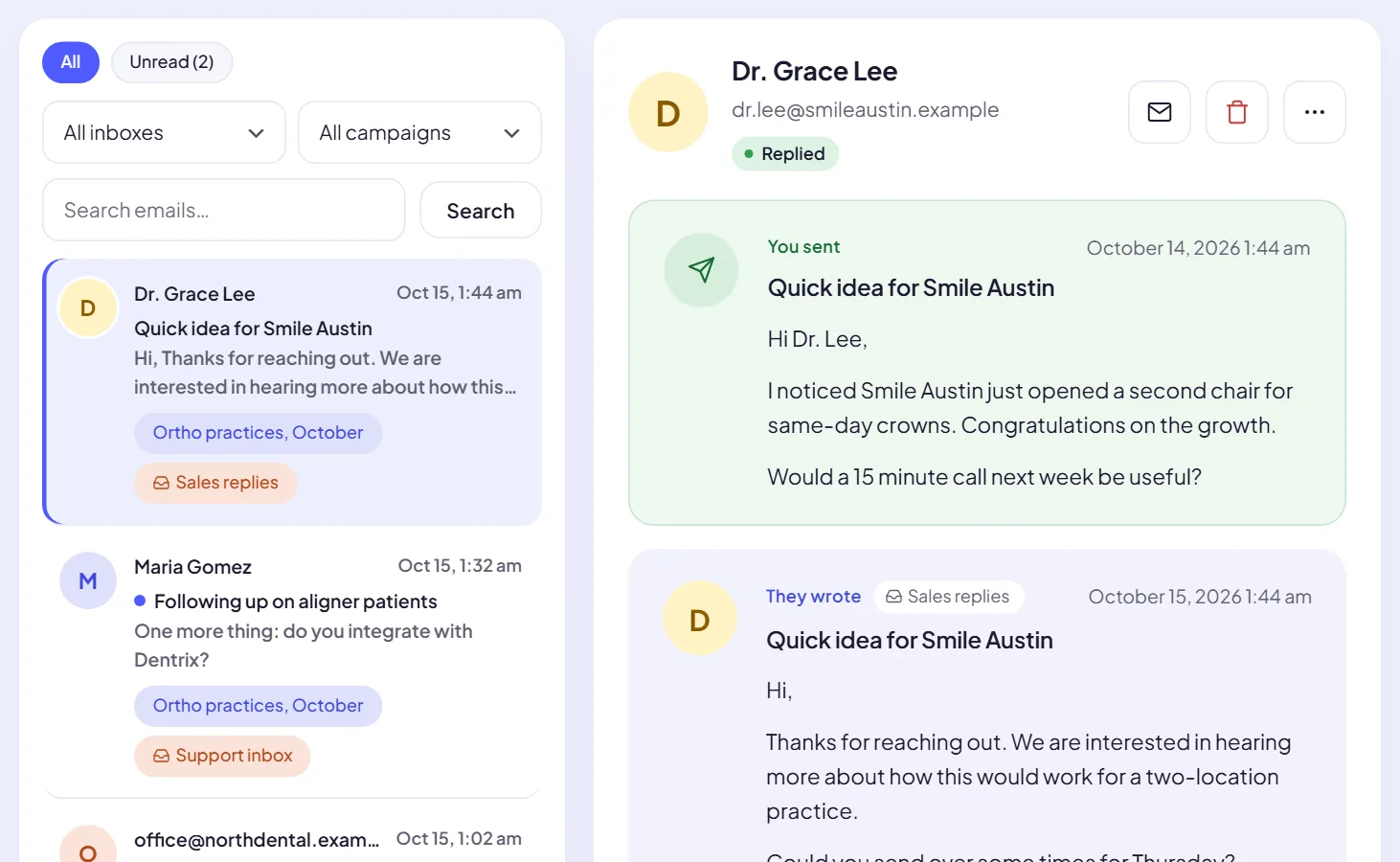
Inbox: replies tagged with their campaign and reply inbox, and an open conversation showing the email that was sent and the lead's reply.

Also in the box

The details that matter once you run outreach every week.

Opens, clicks and replies

Per-campaign reporting. Replies are tracked on every plan; open and click tracking is on Growth and Agency.

Unsubscribe and suppression

A one-click unsubscribe header and link in every email. Opt-outs go on a suppression list you can always check.

Workspaces

Keep brands or clients apart, each with its own mailboxes, leads and AI settings. 1 on Starter, 3 on Growth and 25 on Agency.

Team seats

Invite teammates to the workspaces they work on. 1 on Starter, 3 on Growth and 10 on Agency.

Credentials stay sealed

Mailbox passwords and AI keys are encrypted at rest, never shown again after saving and never written to logs.

Swift Support, from inside the app

Open a ticket where you work. Free plan: replies within 24 hours on business days. Paid plans: VIP priority, usually within an hour.

Write your first researched campaign today.

Start on the Free plan: connect a mailbox, upload a list and read the emails Swift Pilot writes before anything is sent.