Plans, credits and upgrades
What each plan includes, how Swift Pilot credit works, how to upgrade, the 7-day upgrade offer, and what happens when a payment fails.
On this page
Who this is for: account owners and admins choosing or changing a plan. Only admins can see Plan and billing.
Open it from Account > Plan and billing, or the Plan and billing button on the plan card at the bottom of the sidebar.
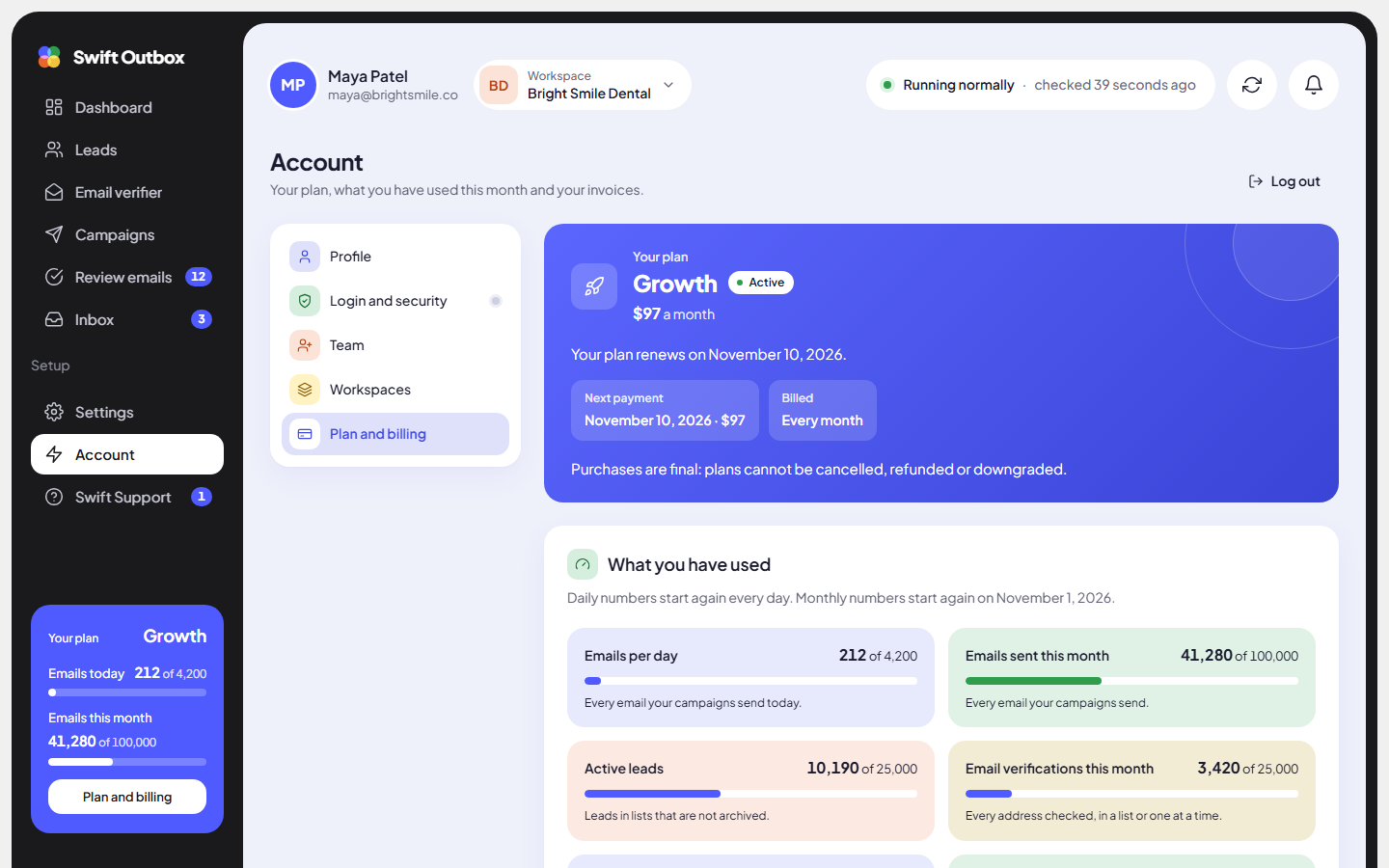
What each plan includes
| Free | Starter | Growth | Agency | |
|---|---|---|---|---|
| Monthly price | $0 | $37 | $97 | $297 |
| Yearly price | – | $348 ($29 a month) | $924 ($77 a month) | $2,844 ($237 a month) |
| Emails a day | 80 | 250 | 4,200 | 21,000 |
| Emails a month | 2,000 | 6,000 | 100,000 | 500,000 |
| Active leads | 1,000 | 2,000 | 25,000 | 100,000 |
| Running campaigns | 1 | 3 | Unlimited | Unlimited |
| Sending accounts and reply inboxes | 1 each | 2 each | 10 each | 100 each |
| Workspaces | 1 | 1 | 3 | 25 |
| Team members | 1 | 1 | 3 | 10 |
| Email verifier, per month | Not included | 2,000 | 25,000 | 100,000 |
| Open and click tracking | No | No | Yes | Yes |
| Swift Pilot credit, per month | $0 | $5 | $10 | $30 |
| Support | Standard | VIP | VIP | VIP |
Prices on the pricing page are always the current ones. The Free plan is free for as long as you like.
Read your usage
The What you have used card shows a meter for each limit. Daily numbers start again every day; monthly numbers start again on your billing date. A meter says “Almost full.” at 85% and “Full. Move to a bigger plan to add more.” at 100%.
When you hit a limit, a dialog called You have reached your plan limit shows how much you use and suggests the next plan up, with an Upgrade to button.
Swift Pilot credit
Swift Pilot writes your emails without an AI key of your own. Each call is charged by the words it reads and writes. Manage it in Settings > AI connections, card Swift Pilot credit.
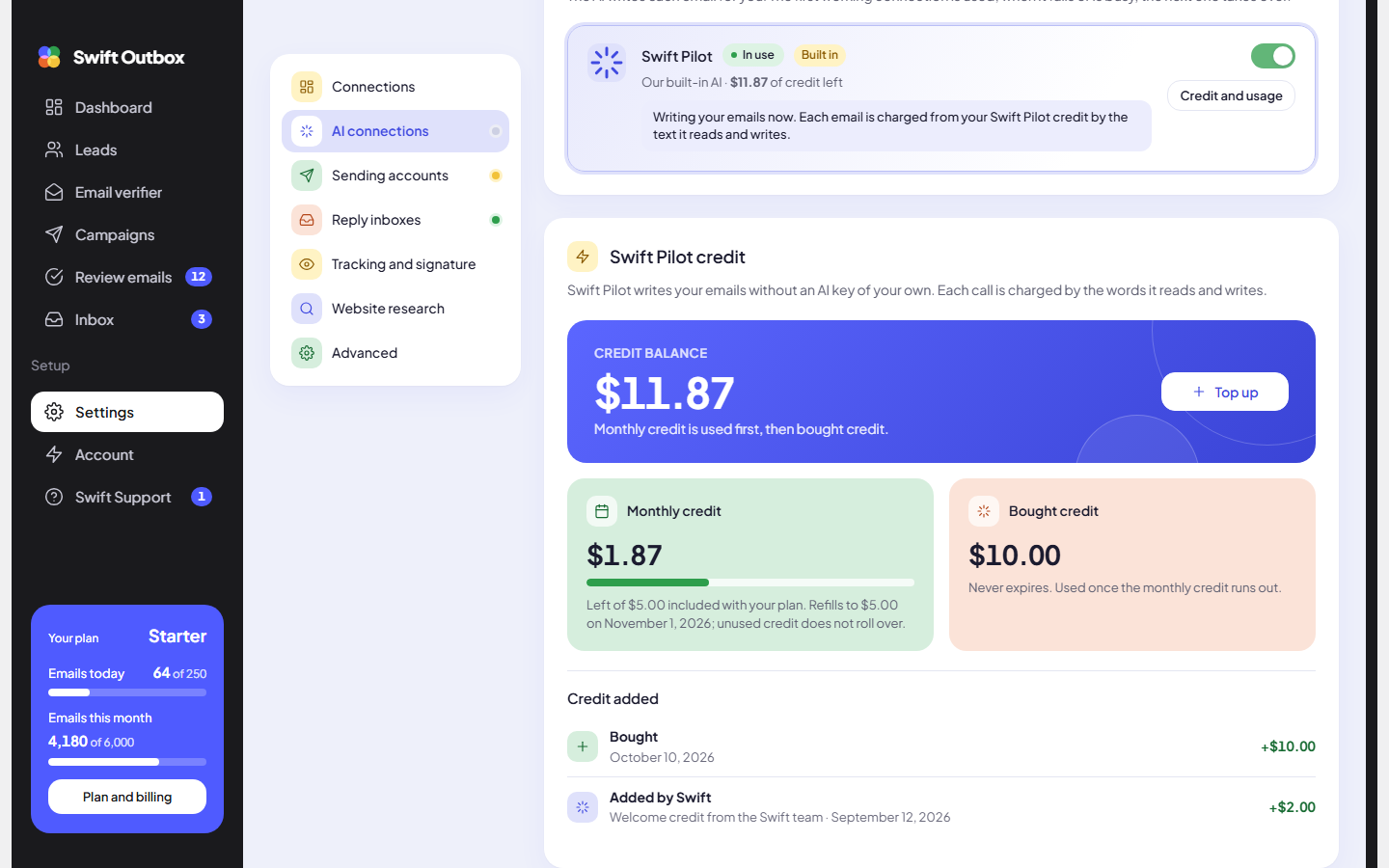
- Monthly credit comes with paid plans and refills on your billing date. Unused monthly credit does not roll over.
- Bought credit never expires. It is used once the monthly credit runs out.
- To buy more, an admin clicks Top up, chooses $10, $25, $50 or $100, and clicks Continue to pay. Tax is added at checkout. Any plan can top up, including Free.
- Emails written with your own AI key are never charged. If every own connection fails, Swift Pilot can write instead and is charged from your credit.
When credit runs out, a dialog offers Connect your own key or Top up.
Upgrade your plan
- Go to Plan and billing and scroll to Upgrade your plan.
- Choose Monthly or Yearly. Moving from monthly to yearly on the same plan also counts as an upgrade.
- Click Upgrade to the plan you want (from Free it says Choose).
- Check the summary: the new price, any credit for your current plan, and Due now.
- Click Confirm upgrade, then finish the checkout. You will see “Thank you. Your new plan is active.”
The new plan starts today with a new billing period, and you pay the full new price now.
Warning: Purchases are final: plans cannot be cancelled, refunded or downgraded. Only higher plans are offered. Pick the plan you need now, not the one you might need next year.
The 7-day upgrade offer
Just bought a plan and already need more? For 7 days after buying, and only until you start your first campaign, the price you paid comes off the higher plan.
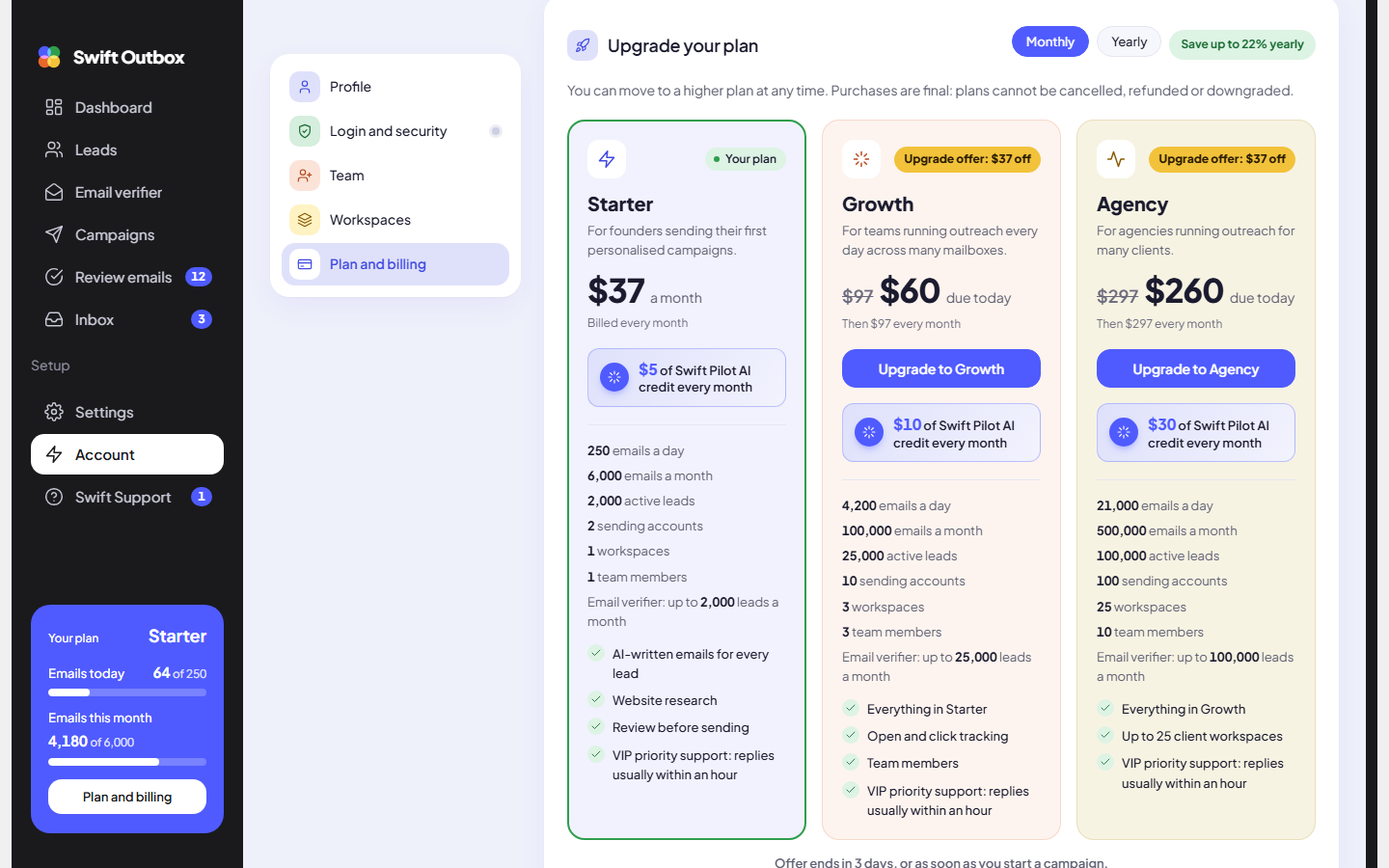
- Higher plan cards show Upgrade offer with the amount off, the reduced price “due today”, and the regular price after that.
- Below the cards: “Offer ends in” the days left, “or as soon as you start a campaign.”
- The credit is what your current plan actually cost, after any discount and before tax.
- Once a campaign has started, or after 7 days, there is no credit. The remaining time on your current plan is not carried over.
Tip: Not sure which paid plan fits? Set everything up first, then decide within 7 days, before you start the first campaign.
Coupons
If you have a coupon, enter it under Have a coupon code? before you choose a plan. It is applied at checkout. Coupons do not apply to upgrades from a paid plan.
Invoices
The Invoices card lists every payment with Date, Invoice, For, Amount and Status. Click PDF for a copy. Receipts are also emailed to your billing email, which you set in Team under Team details.
When a payment fails
- Payment failed: you have 7 days to fix it. A banner shows the date sending pauses. Contact Swift Support to sort out the payment.
- Paused: after 7 days, sending and AI writing stop. Nothing is deleted. Once the payment is fixed, everything starts again right away.
Common mistakes
- Buying a yearly plan to “try it”. Purchases are final. Try the Free plan first.
- Starting a campaign before deciding on an upgrade. Starting a campaign ends the 7-day upgrade offer.
- Expecting Swift Pilot credit on Free. Free includes no credit. Connect your own AI key or top up.
Next step
Invite your team: Team members and roles.
Still stuck? Open a ticket from Swift Support in the app, or contact us.