Your monthly verification allowance
How many addresses each plan can verify per month, what uses a verification, and what happens when you run out.
On this page
Who this is for: anyone planning how many leads to verify this month.
Each paid plan includes a number of verifications per month. One verification checks one address.
Allowance per plan
| Plan | Verifications per month |
|---|---|
| Free | Not included |
| Starter | 2,000 |
| Growth | 25,000 |
| Agency | 100,000 |
| Enterprise | No monthly limit |
The allowance is shared by every workspace of your account.
See what is left
Open Email verifier. The Verifications this month card shows 3,420 of 25,000 used, a bar, how many are left and the date it resets. The allowance refills at the start of each billing period. Unused verifications do not roll over.
What uses a verification
- Each lead checked in a list run, whatever its result. Check every lead again uses one for every lead in the list.
- Each single check in Check one address.
- Verify these emails after import: one per imported lead.
Opening results, filtering by result and cleaning up a list are free.
When a list does not fit
The Verify emails window knows what you have left before you start:
- It shows This list has 3,200 leads to check and you have 1,100 verifications left this month.
- If part of the list has results already, it offers Only check the N not checked yet when that smaller run fits.
- Otherwise it offers Upgrade.
If the allowance runs out during a run, the run stops, leads already checked keep their result, and you can continue next month or after an upgrade.
On the Free plan
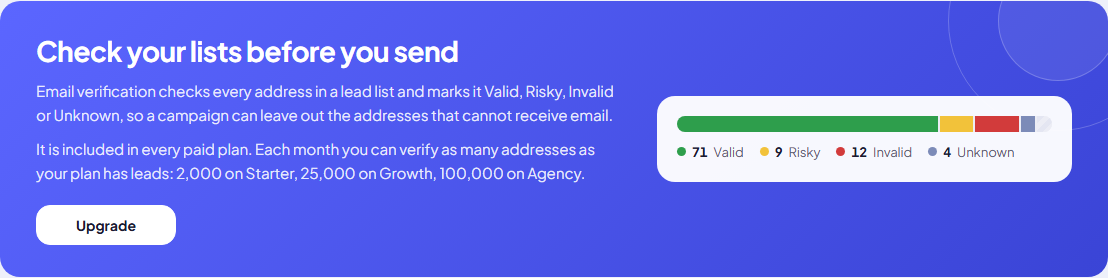
The Email verifier page explains what verification does and shows the allowance on each paid plan, with an Upgrade button. Campaigns on the Free plan email every lead that has an address.
Tip: Save verifications by cleaning your file before uploading (duplicates, obvious typos, empty rows). See Prepare a great lead file.
Next step
Plan your timing: Why big lists take time.
Still stuck? Open a ticket from Swift Support in the app, or contact us.